Users must verify the items they have added to their cart on the cart page. Sometimes, this can be unpleasant, especially when you frequently go back and forth between the cart and the product pages. It disrupts the shopping flow, which is something that you want to avoid.
According to the 50 cart abandonment rate stats, e-commerce sites experience cart abandonment rates of over 70% on average. To get a conversion and keep the shopping flow going, this shows how important it is to maintain every little flow.
In this guide, you will find the 11 best WooCommerce sliding side cart plugins that will get rid of that friction, making the user experience better, and greatly increasing your website conversions.
We have stated the key features, current pricing, and the ideal type of store for each WooCommerce side cart plugin. Continue below to discover the perfect tool to transform your store’s checkout flow.
Why a WooCommerce Side Cart Is a Non-Negotiable Conversion Tool
Before going to the list of side cart plugins, let’s understand what impact a high-quality WooCommerce side cart plugin has on your business. It’s not only a design change, but it’s a complete funnel that is very powerful and addresses the core issues of the checkout flow.
The traditional WooCommerce setup redirects customers to a separate cart page, which is simply a flow breaker. This transition is something that breaks the shopping flow and introduces unnecessary friction. Also, it creates a crucial hurdle where a customer can second-guess their purchase and totally abandon the cart.
A WooCommerce side cart plugin seamlessly integrates with your existing cart. Using modern AJAX technology, it smoothly slides the cart from the side of the screen. Users can easily increase quantity, add more items at the same time, apply coupons, and see the order total without any page reloads or redirecting to an entirely new cart page. It allows users to maintain their momentum and increases conversions.
And it shows on the Key Performance Indicators (KPIs). By removing the primary point of friction, these plugins reduce cart abandonment rates. Moreover, these plugins implement features to cross-sell and upsell, which increases the Average Order Value (AOV). Now, let’s check out the best plugins available to help you achieve these results.
The Top 7 WooCommerce Sliding Side Cart Plugins
The following are the 7 plugins that offer the best solutions for your WooCommerce store. We have tested these plugins and listed out the key features, ease of use, performance impact, and their ability to drive conversions. You will find the best and most powerful options available.
1. Merchant (by aThemes)
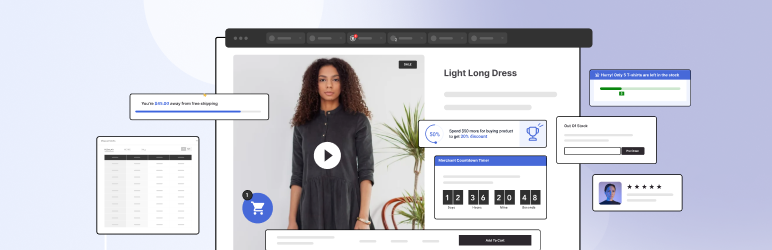
Merchant is a comprehensive conversion optimization toolkit that includes a powerful and sleek sliding side cart. It’s designed to improve user experience while actively boosting sales with built-in marketing features.
Best For
Conversion-focused stores that need a built-in toolkit for creating urgency and boosting UX.
Key Differentiators
- Smart Cross-Sells: Presents highly relevant product recommendations directly within the cart, a key tactic for increasing Average Order Value (AOV) when purchase intent is highest.
- Countdown Timers: Creates a powerful sense of urgency with a “cart reserved” timer. This feature directly targets cart abandonment by leveraging scarcity, a proven psychological trigger.
- Beginner-Friendly Setup: Known for its ease of use and seamless integration, it offers broad compatibility with popular WordPress and WooCommerce themes.
- Customization: Provides intuitive options for modifying colors and button text to perfectly match your brand’s aesthetic.
Pricing Analysis
Merchant offers a feature-rich Free (Lite) version. The Premium plan, which unlocks advanced conversion tools, starts from $79/year.
Expert Verdict
While FunnelKit offers a more comprehensive funnel-building suite, Merchant is the superior choice for stores needing to implement high-impact psychological triggers (urgency, scarcity) immediately and without the setup complexity of a full-funnel system. It’s the fastest path to AOV uplift for teams without dedicated development resources.
2. FunnelKit Cart

FunnelKit Cart is an enterprise-grade solution engineered to optimize the entire sales funnel, from the cart to the final checkout. It is specifically built to handle the demands of high-traffic stores.
Best For
High-volume WooCommerce stores focused on boosting AOV through upsells and a streamlined checkout.
Key Differentiators
- One-Click Upsells: This is a primary driver for increasing Average Order Value (AOV) by capturing intent with seamless post-purchase offers that customers can accept with a single click.
- Streamlined Checkout: Includes pre-built, high-converting checkout templates that reduce friction and save significant setup time.
- High-Volume Performance: Engineered to reliably handle significant store traffic without compromising speed or stability.
- In-Cart Discounts: Features built-in coupon and discount options, allowing for strategic promotions directly within the cart.
Pricing Analysis
A Free (Lite) version is available. The Pro plan starts at $99.50/year, providing access to the full suite of funnel optimization tools.
Expert Verdict
FunnelKit is an investment in a complete conversion ecosystem, not just a side cart. Choose this only if you are prepared to leverage its entire suite of checkout templates and one-click upsells. For stores simply needing a better cart, Merchant or Side Cart WooCommerce (Pro) offer more targeted and cost-effective solutions.
3. ShopEngine
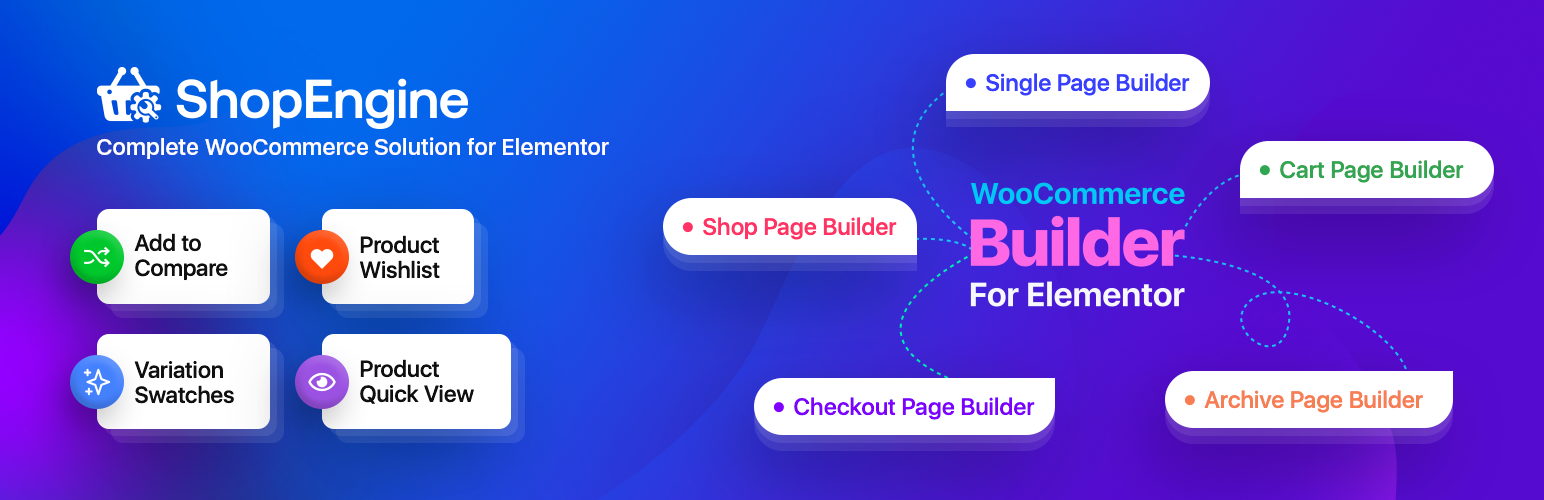
ShopEngine is a complete WooCommerce builder for Elementor, and its AJAX-powered side cart module is a standout feature. It transforms cart customization from a technical task into a purely visual design process.
Best For
Elementor users who demand complete visual design control over their cart.
Key Differentiators
- Visual Design Process: Leverages the familiar Elementor interface, allowing you to build and style your side cart using a visual drag-and-drop process.
- Complete Design Freedom: Empowers users to create a fully custom, on-brand cart experience without any technical configuration or coding.
- Elementor Ecosystem: Delivers its primary value to stores that are already built and managed with the Elementor page builder.
Pricing Analysis
A free version is available on the WordPress repository; premium tiers with advanced features may be offered by the developer.
Expert Verdict
The dependency on Elementor is its main drawback for non-users, making it a non-starter for other page builders. However, for Elementor-powered stores, ShopEngine is the unmatched solution for creating a pixel-perfect, fully branded cart experience without compromise.
4. Side Cart Woocommerce
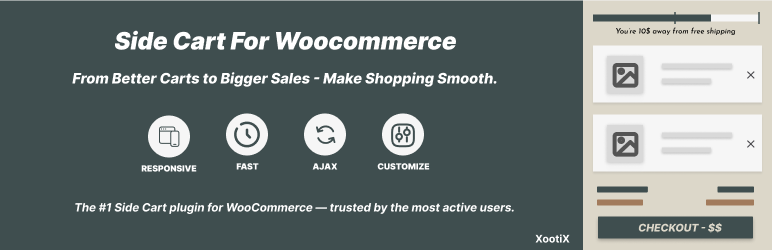
Developed by XootiX, this plugin strikes an impressive balance between simplicity and power. It offers a clean, lightweight, and easy-to-configure side cart with a clear upgrade path to a professional-grade conversion tool.
Best For
Stores that need a quick, clean, and simple setup with a clear path to add powerful premium features as they grow.
Key Differentiators
- Effortless Setup: The initial configuration takes just a few clicks, and the plugin is designed to work smoothly with any theme right out of the box.
- Core Functionality: The free version provides a lightweight design, a floating cart icon, and instant AJAX updates for a seamless user experience that reduces friction.
- Premium Growth Features: The Pro version unlocks a suite of powerful conversion tools, including in-cart upsells, free shipping progress bars, rewards, a shipping calculator, and a branded “Save For Later” list to reduce cart abandonment.
Pricing Analysis
It has a robust Free (Lite) version, and the Pro version starts at an accessible $29/year.
Expert Verdict
This plugin offers an excellent balance of simplicity for new stores and a powerful, scalable feature set for those ready to invest in conversion optimization. It’s a perfect “start here, grow here” solution, providing more targeted AOV tools than Fast Cart without the full-funnel complexity of FunnelKit.
5. Fast Cart for WooCommerce

Fast Cart delivers exactly what its name promises: a fast, sleek, and reliable side cart experience. It is a completely free solution that prioritizes a frictionless user experience over complex marketing features.
Best For
Store owners who need a completely free, user-friendly, and lightweight floating cart that prioritizes a smooth checkout experience over marketing tools.
Key Differentiators
- Completely Free: There is no premium version. All features are available at no cost, making it an excellent budget-friendly choice.
- AJAX-Powered Experience: Instant cart updates create a seamless and modern shopping feel, eliminating page reloads and directly reducing a major cause of cart abandonment.
- Design Flexibility: Includes impressive customization for a free tool, with options for light/dark modes and adjustable button styles.
- Mobile-Responsive: The cart automatically adapts to all devices, ensuring a perfect experience on desktops, tablets, and smartphones without extra configuration.
Pricing Analysis
Pricing: Free.
Expert Verdict
Its primary limitation is the lack of upselling or marketing tools, meaning it won’t directly help increase AOV. However, for stores that prioritize speed, reliability, and a clean user experience on a zero-dollar budget, Fast Cart is the best choice on the market.
6. Side Popup Cart for WooCommerce
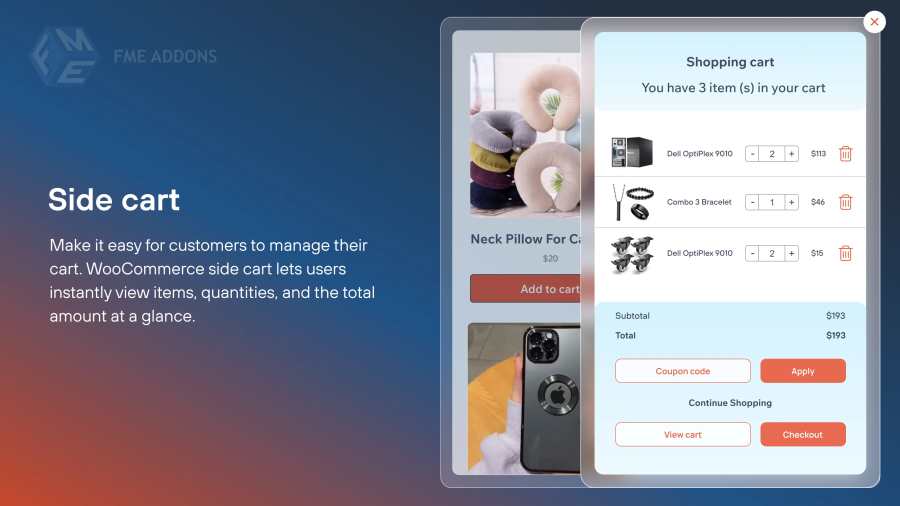
This plugin offers exceptional flexibility by allowing store owners to choose between a traditional sliding side cart and a modern pop-up cart. It is built for performance and engagement, ensuring a fast and responsive user experience.
Best For
Stores prioritizing performance, engagement, and layout flexibility with both side cart and pop-up options.
Key Differentiators
- Dual Layout Options: Gives you the freedom to choose between a sliding side cart and a center-screen popup cart, depending on your store’s design.
- Flawless Real-Time Updates: Items are added and removed instantly without page reloads, keeping your site fast and the user experience smooth.
- Built-in Engagement Tools: Includes valuable features like coupon fields and related product suggestions directly inside the cart to boost AOV.
- Smooth Animations: The cart’s animations are polished and professional, adding to the modern feel of your store.
Pricing Analysis
You can get the premium plugin from the WooCommerce store.
Expert Verdict
This is an excellent choice for businesses that want to deliver a modern, engaging cart experience while ensuring their site remains fast and responsive. The layout flexibility is a significant advantage over plugins that offer only a single display style.
7. WPC Fly Cart for WooCommerce
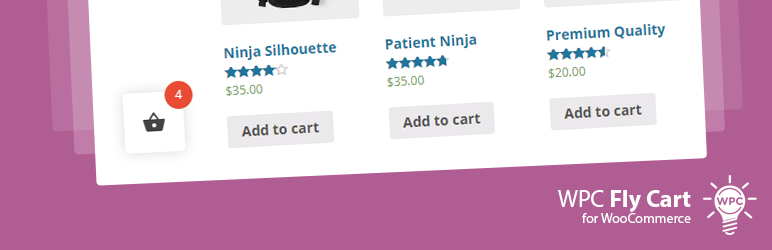
WPC Fly Cart focuses on creating a visually engaging and satisfying user experience. Its signature animation and deep customization options make it a favorite among design-conscious store owners.
Best For
Design-conscious store owners who want to create an engaging visual experience with smooth animations and flexible design options.
Key Differentiators
- Engaging Animations: Features a signature “fly to cart” animation that provides satisfying visual feedback to the shopper when an item is added.
- Visual Customization: Offers extensive design options, including 16+ different bubble icon types and 5+ predefined cart skins to match any theme.
- AJAX-Powered Experience: All cart interactions—such as updating quantities or removing items—are instant and do not require a page reload.
Pricing Analysis
The premium plugin starts at $29 for a one-time payment.
Expert Verdict
Key conversion features like coupon support and shipping totals require the premium version. However, Fly Cart is the ideal solution for brands that value polished micro-interactions and want to create a visually immersive shopping experience that other, more function-focused plugins don’t prioritize.
Other WooCommerce Side Cart Plugins Worth Considering
While the plugins above are our top-tier recommendations, several other solid options exist that might be the perfect fit for your specific needs. This section provides a quick-scan guide to other strong contenders in the market.
8. Caddy
- Good: The plugin offers a clean slide-out cart with upsells, a “save for later” feature, and basic styling in the free version.
- Bad: Requires the premium plan to unlock advanced features like analytics and saved lists.
- Best For: Stores that want a simple cart with light sales-boosting tools.
9. XT Floating Cart for WooCommerce
- Good: This plugin delivers smooth animations, live updates, and full design control, including a free shipping bar and a coupon field.
- Bad: The Pro plan can be pricey for small stores, and some users report CSS conflicts with custom themes.
- Best For: Stores aiming for a modern shopping experience with polished slide-out effects.
10. Cart All in One
- Good: The plugin provides a full-featured sidebar cart with one-click checkout, coupons, and Ajax updates in a single package.
- Bad: The interface can feel cluttered with too many options, and translation support is limited.
- Best For: Stores wanting an all-in-one solution for their cart, checkout, and sticky add-to-cart functionality.
11. Mini Floating Cart for WooCommerce
- Good: The plugin offers a highly customizable and clean mini cart with smooth animations that work well on all devices.
- Bad: Lacks advanced marketing tools and has limited integrations with other plugins.
- Best For: Small shops that need a clean, distraction-free cart designed to fit any theme.
Final Checklist: What to Consider Before You Install
Choosing the right plugin isn’t just about features; it’s about ensuring technical stability and protecting your sales. Before you install any new side cart, it’s critical to run through a quick technical checklist to avoid preventable headaches.
- Theme and Plugin Compatibility: The most common source of issues is JavaScript conflicts. These occur when your side cart plugin, your theme, or another active plugin tries to control the same elements, causing functionality to break. For example, a well-documented conflict between the Shoptimizer Theme and the HubSpot plugin was shown to completely disable side cart interactions, preventing customers from checking out.
- Understanding JavaScript Collisions: This happens because AJAX-heavy features (like side carts) and third-party tracking scripts (like HubSpot’s) often compete to control user interactions on the page. When both try to execute code based on the same user action, like a button click, their scripts can “collide,” leading to one or both of them failing.
- The Importance of a Staging Site: Always test new sliding side cart plugins on a development or staging site first. This is non-negotiable. A staging site is a private clone of your live store where you can test changes safely. Installing a plugin directly on your live site risks breaking your checkout process and losing sales.
- Performance Impact: While most modern side cart plugins are designed to be lightweight, you should still check your site speed before and after installation. Use a tool like GTmetrix or PageSpeed Insights to ensure the new plugin isn’t negatively impacting your store’s performance and user experience.
Taking these simple precautions will ensure a smooth implementation and allow you to reap the conversion benefits without the technical risks.
Conclusion: Which WooCommerce Side Cart Plugin is Right for You?
Implementing a high-quality sliding side cart is one of the most effective upgrades you can make to your WooCommerce store. It eliminates friction, keeps customers engaged, and provides a powerful platform for increasing your Average Order Value. For most stores, Merchant offers the best all-around balance of conversion-focused features, ease of use, and value. For high-volume stores that require full-funnel optimization, FunnelKit Cart is the undisputed top choice. And for those who live and breathe Elementor, ShopEngine provides unmatched visual control.
Which of these sliding side cart plugins are you thinking of trying for your store?
Did we miss any of your favorite WooCommerce side cart tools? Let us know in the comments below!
 E-Commerce Plugins


